MyCalc
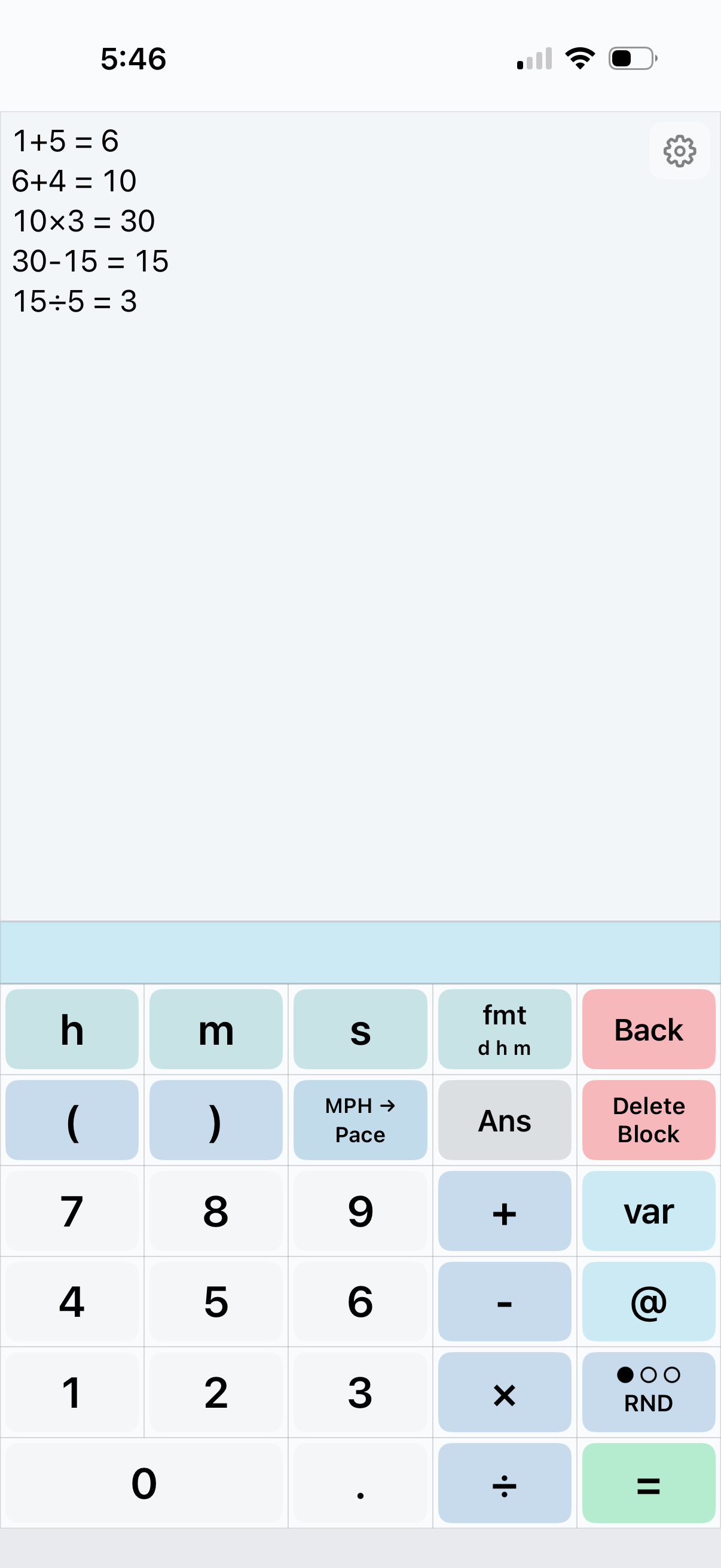
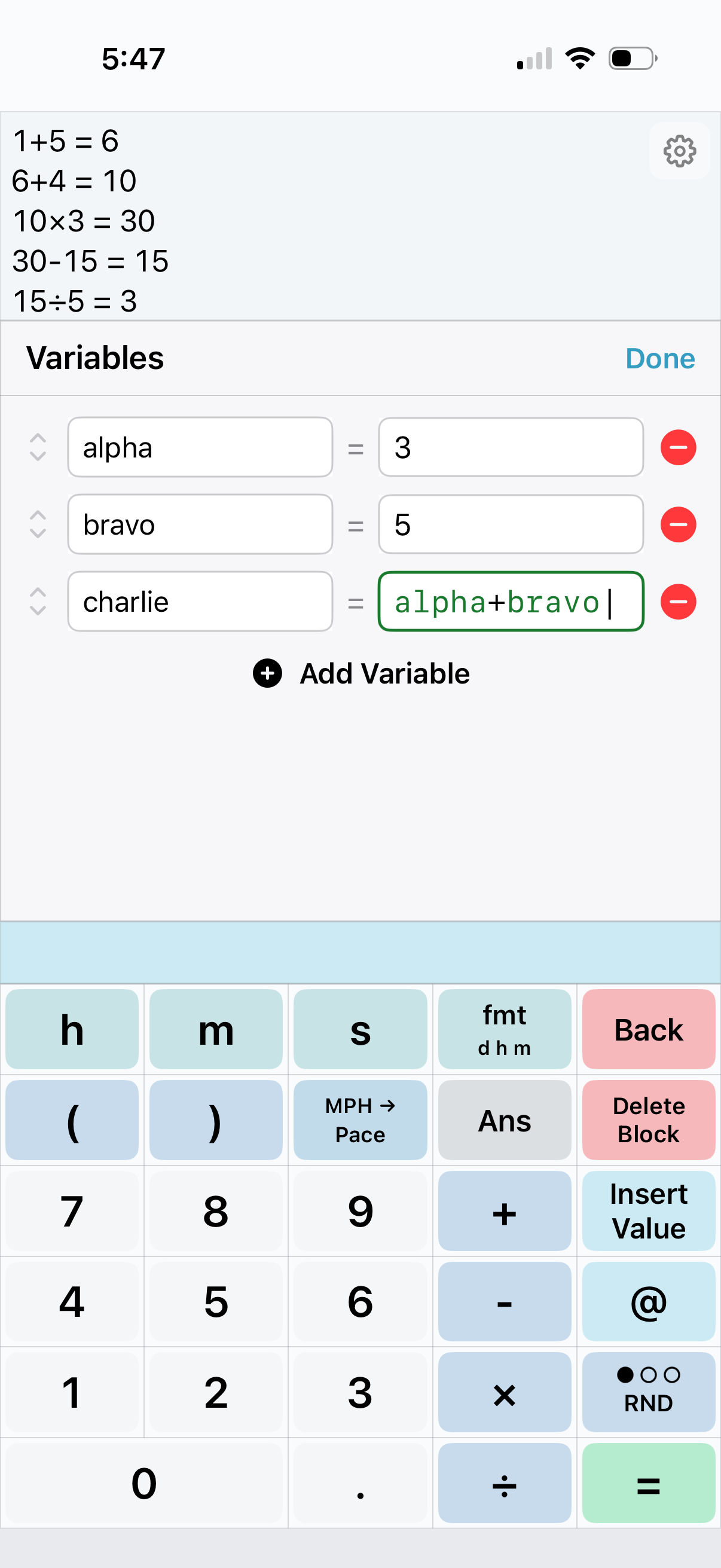
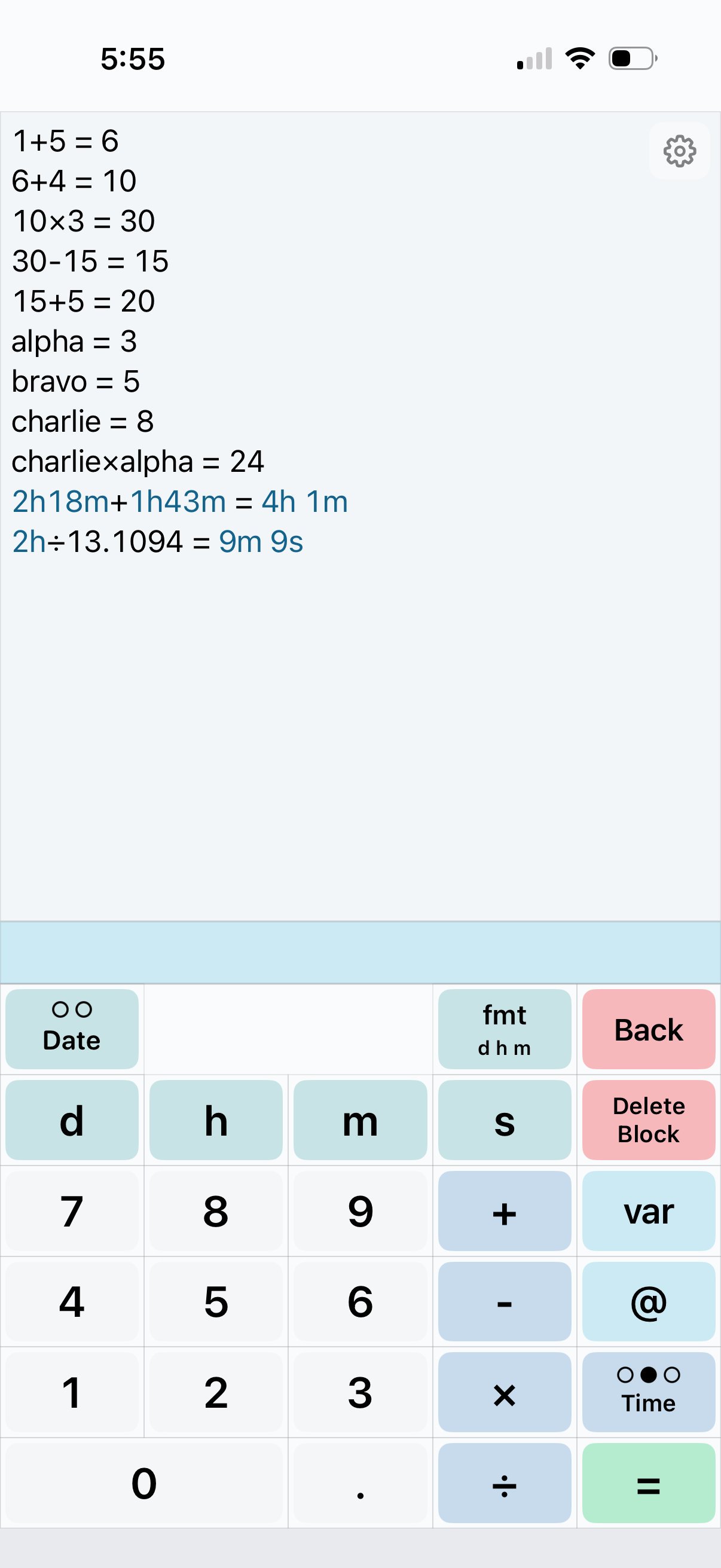
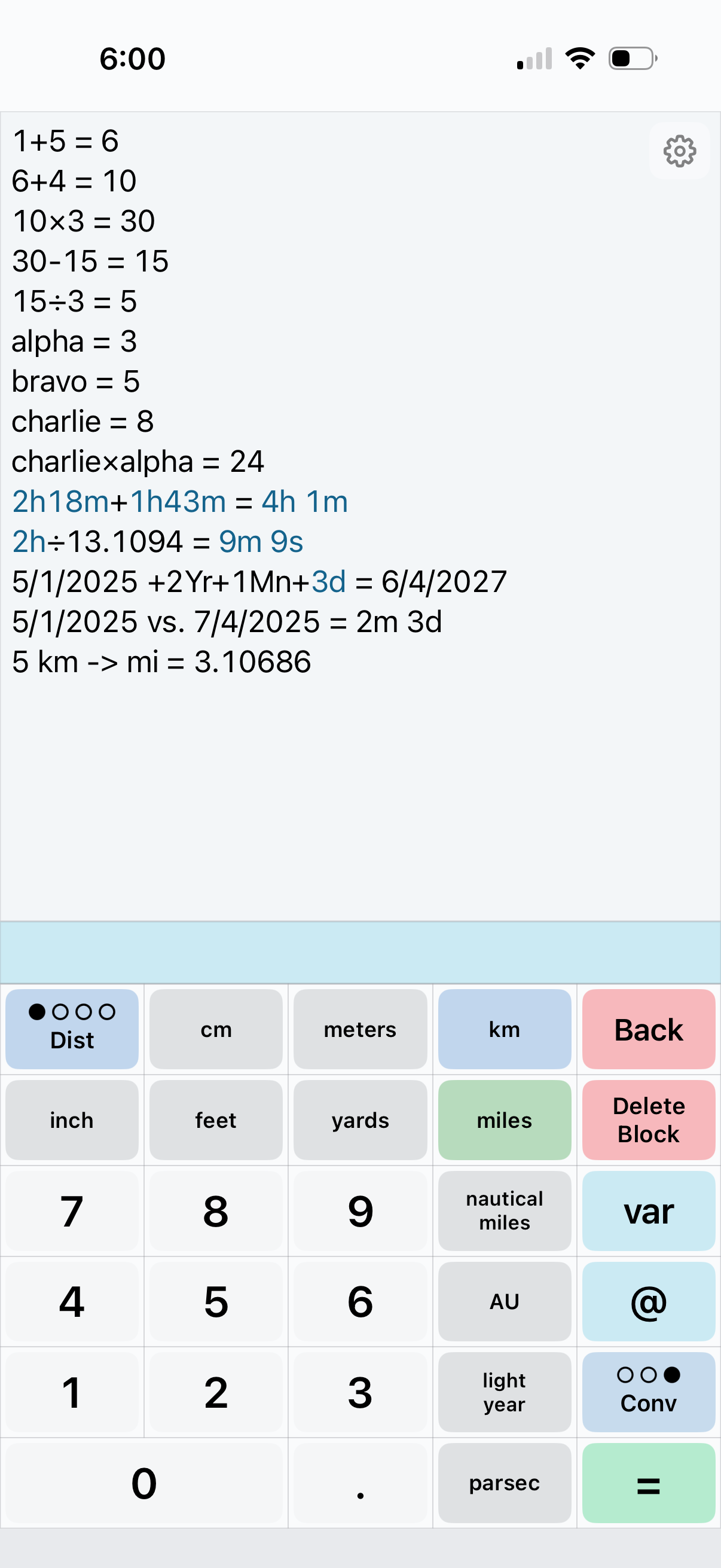
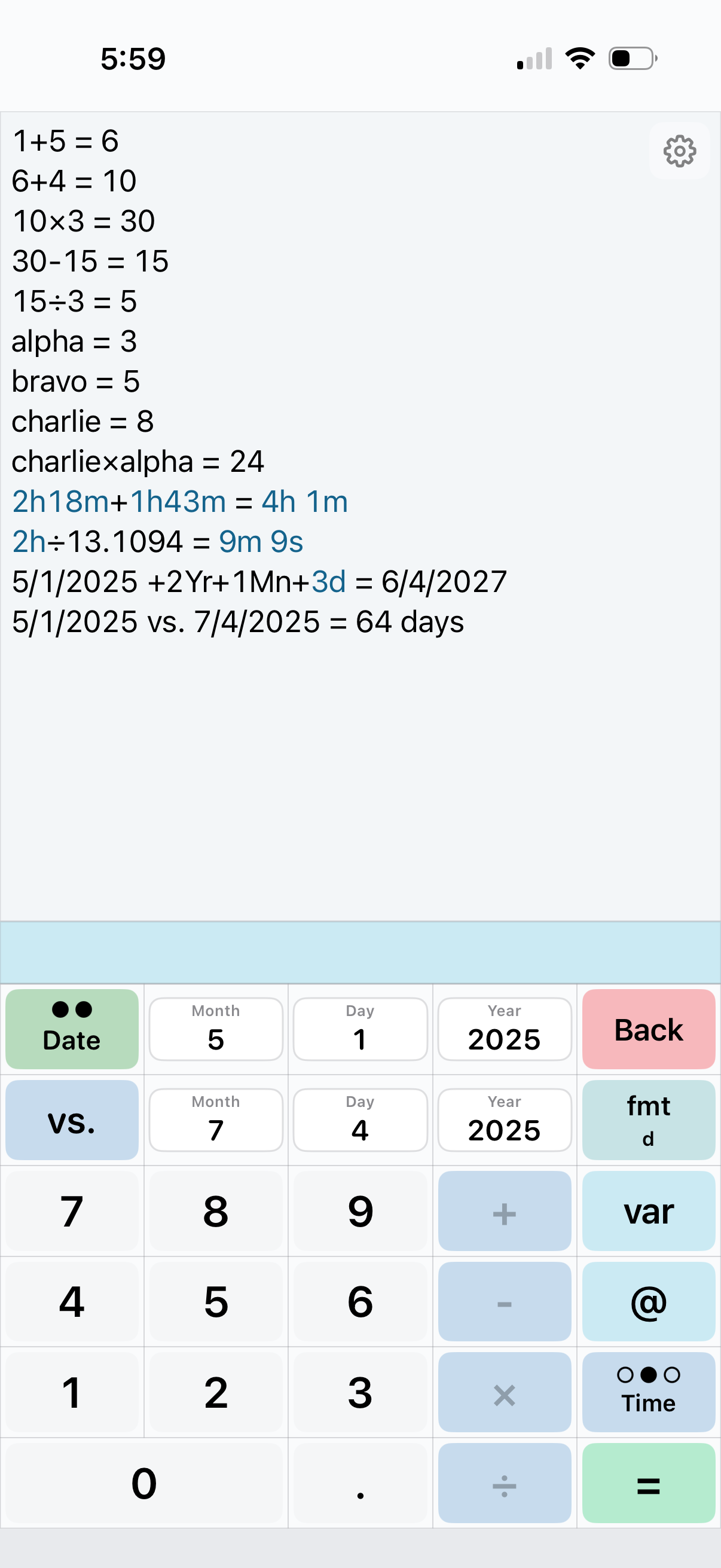
A customizable calculator built around a rolling history of your work. Use it for everyday math, defining custom variables, duration arithmetic, date calculations, and unit conversions, all without losing the equations you already worked through.
Rolling History
Custom Variables
Duration Arithmetic
Date Calculations
Custom Keypads
Unit Conversions
Settings and Inputs: Tips and Tricks
Reminders on how to update display settings, navigation tricks, and input shortcuts.
Define Decimal Places
Tap and hold the decimal key to open a floating Decimal Places window. Update the number of visible decimals and press Done or tap outside the box to save and close. Use the Settings page to define a rounding direction, and if future operations should use the rounded or full value.
Choose a Negative Value Style
Tap and hold the minus sign to toggle between two negative value views:
View 1: -50
View 2: (50)
This can also be adjusted in Settings.
Read Written Numerical Values
Tap and hold the input bar. A small magnitude label will appear with the numerical value written out. This allows you to read large numbers with cues like thousand, million, billion, trillion, etc.
Add Commas to Large Numbers
Double tap the input bar to toggle comma separators for large numbers, making them easier to read.
Reuse Values From Rolling History
Tap a value from an equation or answer in the rolling history to reuse it. It is faster than typing the same number again.
Remove a Block or Clear Input
Tap Delete Block to remove a single input block (a number or operator), or hold Delete Block to clear the entire input bar.
Jump to Home Keypad
If you have multiple keypads, tap and hold the keypad toggle button to jump back to the first keypad.
Swipe Between Keypads
Swipe across the keypad to move through active keypads without tapping the keypad toggle button. In Settings, you can determine the Swipe Direction.
Insert Today's Date
Whenever there are date input boxes, double tap any date input box (month / day / year) to quickly fill in today's date.
How do I clear the calculator's rolling history?
Open Settings (gear icon in top right), scroll down to the History section, then press Reset Rolling Window.
How do I export the rolling history?
Open Settings (gear icon in top right), scroll down to the History section, then press Export Rolling Window. The app prepares a plain text file containing each expression and displayed result. You will then choose where to save the exported file.
How do custom keypads work?
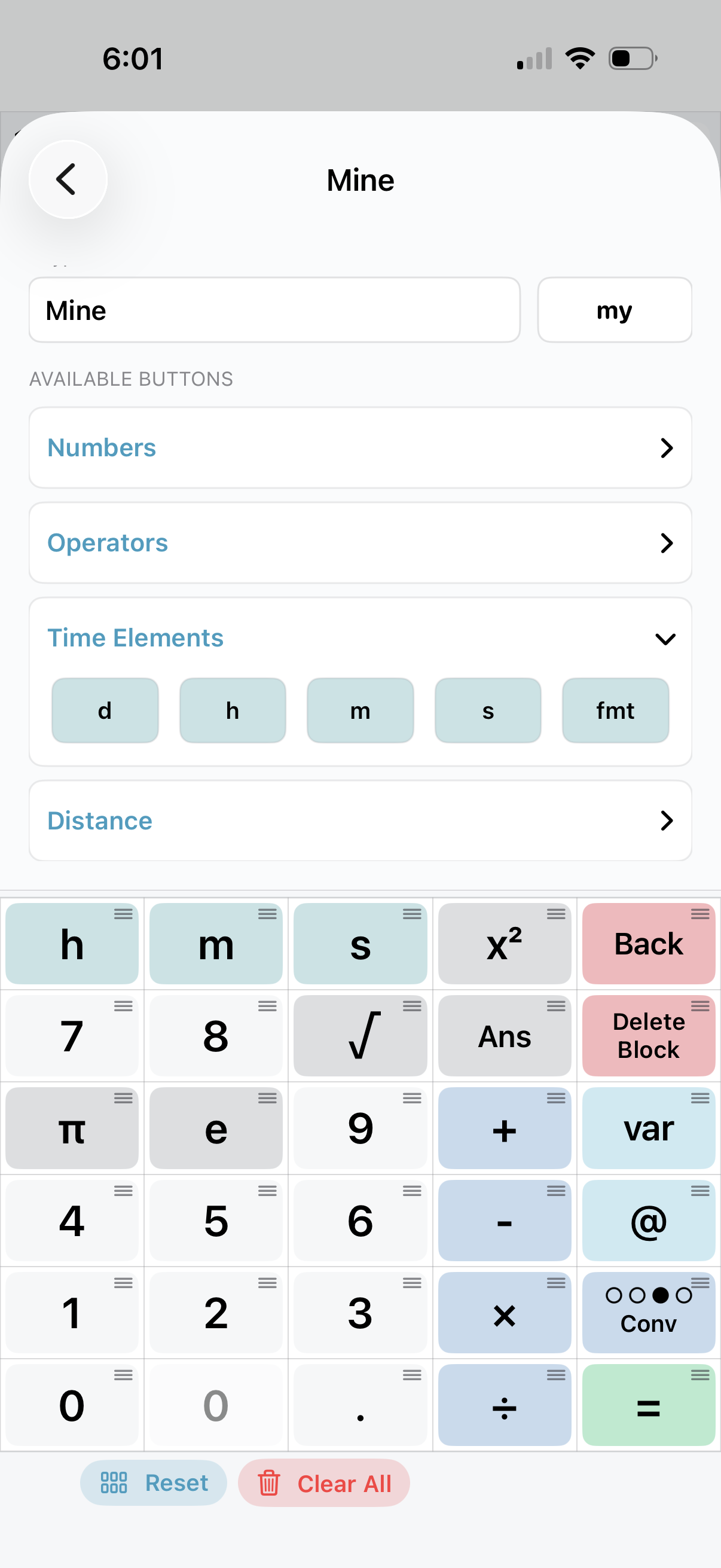
Open Settings (gear icon in top right), scroll down and tap Custom Keypad Builder. Tap "Create Page". Within that page, drag and drop buttons in the bottom layout to rearrange them. Replace or assign buttons to a location by expanding each accordion section above the keypad, tapping the button you want, then tapping the location where you wish to place it. Tap and hold a button in the keypad to reveal the Button Color menu where you can customize the color. You can name the keypad and give it an abbreviation which will appear in the keypad toggle button for reference.
Does MyCalc use iCloud sync?
No.
Privacy Policy
Who We Are
Doughton Data Solutions, LLC provides MyCalc: Flexible Calculator.
Contact: ryan@doughtondata.com
What This Policy Covers
This policy explains what information MyCalc processes, how it is used, and your choices. MyCalc does not transmit your calculation history, expressions, results, date inputs, variables, formulas, custom keypad pages, button colors, settings, or exported files to Doughton Data Solutions. MyCalc does not require a user account and does not currently use an in-app subscription.
Data the App Processes
- Calculation content you create: Expressions, rolling history, results, date inputs, variables, formulas, custom keypad layouts, button colors, and related settings, are stored locally on your device by default.
- App preferences: Decimal places, rounding mode, time display mode, date format, page order, enabled keypads, text size, and display options are stored locally.
- Exports: When you export the rolling history, the app creates a plain text file that may include your expressions and results. The file is saved only to the location you choose, such as local device storage, iCloud Drive, or another destination available through Apple's file picker.
- Diagnostics: Apple may collect crash reports or diagnostics according to your device, Apple ID, TestFlight, and App Store settings.
What We Do Not Collect
- No Doughton Data Solutions account, username, or password
- No third-party advertising or app tracking
- No location, contacts, calendar, photos, camera, or microphone data
- No analytics are transmitted to Doughton Data Solutions by the app
- No payment card details are collected by Doughton Data Solutions
How Your Data Is Used
- To operate calculator features on your device
- To save your rolling history, variables, custom pages, and preferences between app sessions
- To create export files only when you choose to export
- To respond to support requests if you choose to contact us and share details
Sharing
- Doughton Data Solutions does not sell your MyCalc app data.
- When you export, save, or share a file, the destination you choose may process that file under its own terms and privacy practices.
- Apple services, including the App Store, iCloud Drive, device backups, TestFlight, and diagnostics, are governed by Apple's terms and your Apple device settings. Depending on your device settings, app-local data may be included in Apple device backups.
Your Choices
- History: Reset the rolling history from Settings.
- Variables and custom keypads: Edit or delete saved variables and custom keypads in the app.
- Export: Export the rolling history only when you choose.
- Device data: Removing the app generally removes app-local data from that device, but previously created exports, iCloud Drive files, or Apple backups may remain under your Apple account and device settings.
Children
MyCalc is appropriate for general audiences and is not specifically intended for children under 13. The app does not collect personal information.
Changes to This Policy
This policy may be updated from time to time to reflect app changes, operational changes, or legal requirements.
Contact
For questions about this policy, contact ryan@doughtondata.com
Terms of Use
Acceptance
By downloading, accessing, or using MyCalc, you agree to these terms. If you do not agree, do not use the app.
License
MyCalc is licensed, not sold. You receive a personal, non-transferable license to use the app on Apple devices that you own or control, subject to these terms and Apple's applicable App Store terms, including Apple's standard licensed application terms.
Payments
MyCalc does not require a Doughton Data Solutions account. If the app is offered for purchase through the Apple App Store, payment, billing, refunds, taxes, and related purchase matters are handled by Apple and are subject to Apple's Media Services Terms and Conditions.
Prohibited Uses
You may not use MyCalc in a way that:
- Violates any applicable laws, regulations, or third-party rights
- Attempts to bypass, disable, or interfere with app limitations, licensing, or security features
- Reverse engineers, decompiles, or disassembles the app, except as expressly permitted by law
- Uses the app for fraudulent, deceptive, harmful, or misleading purposes
- Interferes with or disrupts the app's operation or related Apple services
- Attempts to gain unauthorized access to data, systems, or accounts
User Responsibility and Calculation Accuracy
MyCalc is intended to assist with calculations, conversions, date math, time math, and related recordkeeping. It does not guarantee that any expression, conversion, date result, rounded value, exported file, or displayed result is accurate, complete, or suitable for your specific purpose. You are responsible for reviewing and verifying results before relying on them.
No Professional Advice
MyCalc does not provide financial, tax, legal, engineering, medical, safety, or other professional advice. Do not rely on the app as the sole basis for decisions where incorrect calculations could cause financial loss, legal consequences, safety risk, or other material harm.
Your Data and Backups
You are responsible for maintaining any records, exports, backups, or copies you need. Data may be lost if the app is deleted, the device is damaged, settings are reset, or an export destination becomes unavailable.
Disclaimer
The app is provided "as is" and "as available." To the maximum extent permitted by law, Doughton Data Solutions, LLC makes no warranties, express or implied, regarding the app, including but not limited to warranties of merchantability, fitness for a particular purpose, accuracy, availability, or non-infringement.
Limitation of Liability
To the maximum extent permitted by law, Doughton Data Solutions, LLC shall not be liable for any indirect, incidental, special, consequential, exemplary, or financial damages, including but not limited to data loss, incorrect calculations, inaccurate conversions, missed deadlines, lost revenue, or business interruption, arising out of or related to your use of the app, even if advised of the possibility of such damages.
Some jurisdictions do not allow the exclusion or limitation of certain warranties or damages, so some of the above limitations may not apply to you.
Changes to These Terms
These terms may be updated from time to time to reflect app changes, operational changes, or legal requirements.
Contact
For questions about these terms, contact ryan@doughtondata.com